
Community
How to join the forum
Five steps from no account to your first post.
- 1
Create an account
Use the same email you use when you check in on Sunday. That way the site recognizes you and you can usually start posting right away. After signing up, open the confirmation email we send and click the link. No email? Check your spam folder, or use "Resend it" on the sign-in page.
- 2
Log in to the website
Sign in with your email and password (or with Google, if you signed up that way).
- 3
Accept the forum policies and guidelines
Confirm how your name will appear, confirm you're 18 or older, and accept the Community Forum Guidelines.
- 4
Choose your forum email preferences
Pick any of: emails when someone replies to your posts, a weekly summary, or emails for all forum activity. You can change these any time at the bottom of every forum page.
- 5
Start reading and posting
Browse the conversations, reply, or start your own.
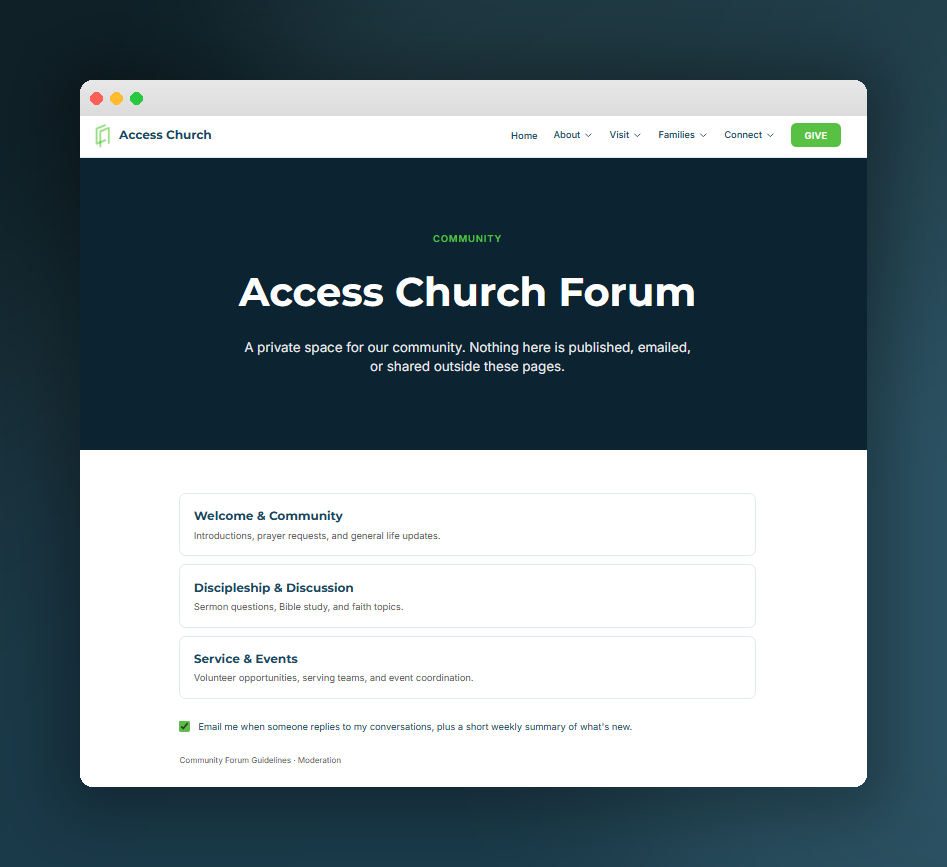
What the forum looks like once you're in.
Still stuck? Email info@accesscov.com and we'll help.